Key takeaways
- Can AI do bookkeeping for a small business? Mostly yes — for the recording work. As of 2026, AI inside mainstream accounting software captures receipts, categorizes transactions, matches your bank feed, and drafts reports well enough that a lot of solo owners no longer touch a spreadsheet.
- What it doesn't do is the responsibility work. AI can't register your business, respond to the CRA or IRS on your behalf, make the judgment calls a tax return depends on, or sign off as the person who stands behind the numbers.
- Both the CRA and the IRS put the accuracy of your return on you, the taxpayer — not on your software. Whoever or whatever keeps the books, the filing is yours to own.
- All of that responsibility sits on top of one real-world fact your software can't generate: a genuine business address tied to your registration, your tax file, and your records. AI runs the ledger; the address underneath it is still yours to set up.
Short answer: can AI do bookkeeping for a small business?
Yes — AI can do most of the day-to-day bookkeeping for a small business in 2026, if you mean the mechanical part: pulling in transactions, sorting them into categories, reconciling them against your bank feed, and turning them into a profit-and-loss statement or a cash-flow view. For a one-person operation, that's the bulk of what "doing the books" used to mean, and it now happens with very little manual entry.
What AI can't do is take responsibility for the business those books belong to. It can't be the entity that registered with a province, a state, or the CRA. It can't answer a CRA review letter or an IRS notice for you. It can't decide whether an expense is genuinely deductible, whether you've crossed the GST/HST registration threshold, or whether that payment was business or personal. And it can't be the real business address every one of those records has to point to.
So the honest answer isn't "yes" or "no." It's: AI can do the bookkeeping. It can't be the business. The rest of this brief is about where that line falls — and why the leaner you run, the more the second half matters.
What changed: AI bookkeeping in 2026
Through the first half of 2026, the question stopped being theoretical. AI features that used to be add-ons — receipt scanning, auto-categorization, bank-feed matching, plain-language reports — became standard inside the accounting platforms small businesses already use, and agent-style tools started stringing those steps together with less and less human prompting.
The demand side moved with it. In self-reported survey data, roughly 91% of solopreneurs said AI had reduced their administrative work (Zoom + Upwork Small Business AI Report, 2026). Bookkeeping is a big slice of that admin load, so it's unsurprising that "can I just let AI do my books?" became one of the more active debates in small-business communities this year. Read that 91% as direction, not precision — it's a self-reported survey, not an audited benchmark — but the direction is clear enough.
Here's the part the tool pages tend to skip. None of that automation changes who is responsible for the result. The CRA's own record-keeping rules require every business to keep adequate books and records — and it's the business, not the software, that has to keep them and stand behind them. The IRS applies the same principle in the US: the taxpayer is responsible for what's on the return, regardless of who or what prepared it. Better tooling raises the ceiling on what one person can produce. It doesn't move the liability.
Who this affects
If you run a business alone or nearly alone in the US or Canada, this is your reality now, not a forecast:
- Solopreneurs and indie founders running a product, store, or agency with no finance hire.
- Freelancers and consultants whose side income has quietly become a business the CRA or IRS expects a return from.
- E-commerce and creator businesses — Shopify, Etsy, Amazon, memberships — with hundreds of small transactions a month that beg to be automated.
- Newcomers launching a first business in Canada or the US while still building local credit, banking history, and a sense of what the tax system expects.
There's a cross-border wrinkle that hits small operators harder than most. A founder living in Canada might sell into the US or own a US LLC; a US-based founder might incorporate in Canada to reach Canadian customers. AI bookkeeping ignores the border — it will happily categorize a US-dollar Stripe payout next to a Canadian one. The tax systems don't ignore the border: two sets of books, two filing regimes, two addresses, and a CRA and an IRS that treat the same entity differently. Automation makes the data entry easier there; it makes the responsibility question bigger.
What AI actually handles in your books
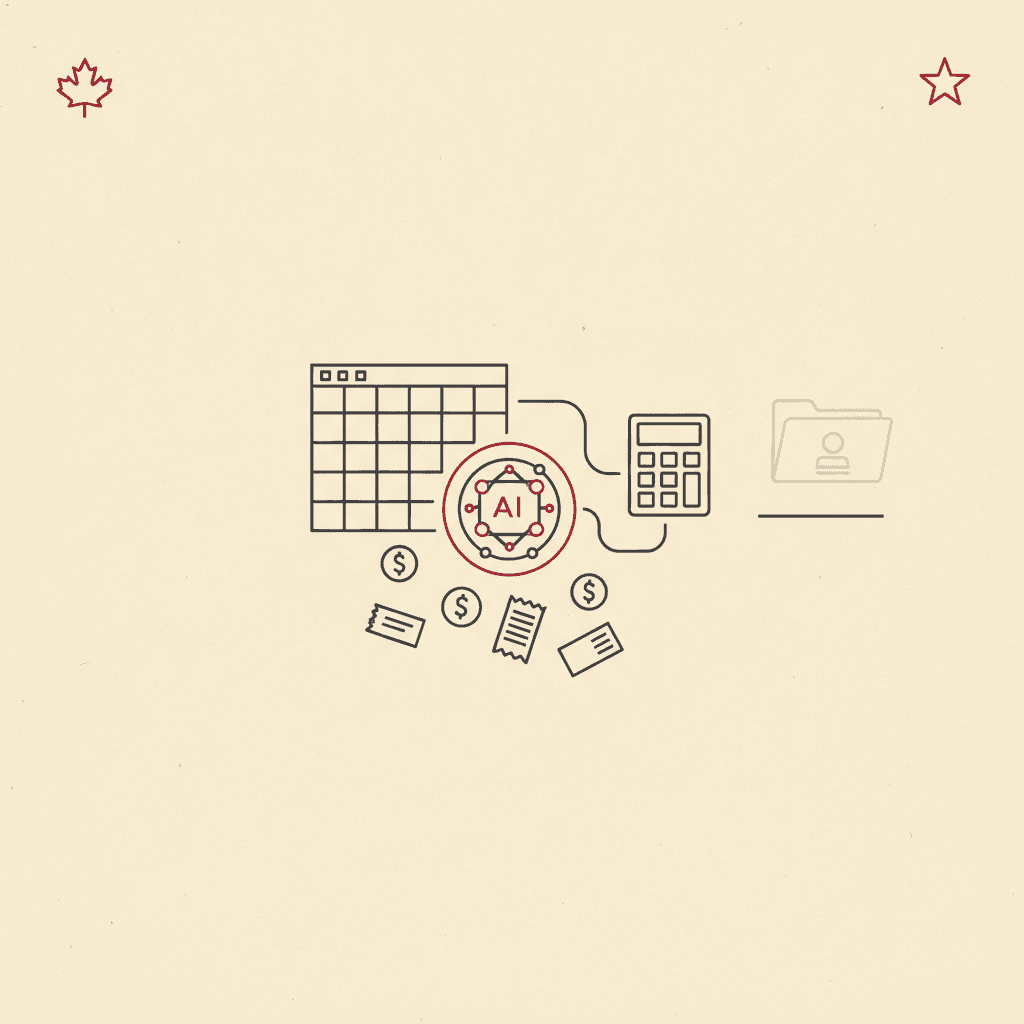
By 2026, the automatable slice of bookkeeping is genuinely large. In broad terms, AI inside modern accounting software does a competent job of:
| Bookkeeping task | What AI does with it in 2026 |
|---|---|
| Data entry | Reads receipts and invoices, extracts amounts, dates, and vendors, and enters them without manual typing. |
| Categorization | Sorts transactions into expense and income categories, learning from how you've coded similar ones before. |
| Bank reconciliation | Matches your bank and card feeds against recorded transactions and flags what doesn't line up. |
| Invoicing & follow-up | Drafts and sends invoices, tracks what's outstanding, and nudges late payers. |
| Reporting | Generates profit-and-loss, balance-sheet, and cash-flow views, and answers plain-language questions about them. |
That list would have described a part-time bookkeeper a few years ago. For a lot of founders it's now a subscription and a few minutes of review a week. Which is exactly why the next question matters: if software covers all of that, what's actually left for you?
What's still yours: registration, the CRA and IRS, and the final return
This is the half that doesn't automate — and the half that quietly stalls people who assumed "AI does my books" meant "AI does my taxes." Four things stay firmly yours.
1. Registering and structuring the business. AI can explain the difference between a sole proprietorship and a corporation and draft a plan in plain language. It can't be the filer, sign as the incorporator, or serve as the registered office a corporation needs. That's a legal act tied to a real jurisdiction and a real address — see our guide to what the CRA actually requires of a business address. For a Canadian who owns a US LLC, the registration problem doubles across two countries at once, a mismatch we walk through in AI can run your one-person company — except for these three things.
2. Responding to the CRA or the IRS. When a Notice of Assessment, an instalment reminder, or a review letter arrives, the deadline clock starts on the date of the letter — often 30 or 90 days — not the day you get around to reading it. AI won't open your mail, won't recognize that a request-for-information letter needs a response, and can't represent you in a review. That's you, or the accountant you authorize. Where that mail lands, and how fast you see it, is an address problem, which is why we cover it in where Canadian small businesses mail T2 returns and what address goes on them.
3. The judgment calls a return depends on. Is this expense genuinely deductible, or is it personal? (The 2026 rule that dropped the deduction for office coffee and employee snacks to 0% is a live example of how that line moves under your feet.) Have you crossed the GST/HST registration threshold this year? Should this be a T2125 on your personal return or a T2 corporate return? AI can surface the general rule; it can't weigh your specific facts and carry the risk of being wrong. Those calls determine what your tax bill actually is — and they're where a good human bookkeeper or accountant still earns their fee.
4. Signing off — and owning the result. Both the CRA and the IRS are explicit that the taxpayer is responsible for the accuracy of the return, whoever prepared it. "The AI categorized it that way" is not a defence in a review. In most cases the actual filing is still reviewed and signed by a human — you, or a CPA — precisely because someone has to stand behind it. AI is a superb first-pass bookkeeper. It is not the person the tax authority holds accountable.
The pattern is the same one that shows up everywhere automation meets a real institution: AI removes the labour of running the business. It does not remove the requirement that the business be a real, accountable entity — with real books, a real filing, and a real address behind it.
The address and setup layer AI can't touch
Every clean set of books points somewhere real. Your registration names an address. Your tax file carries an address. The CRA's expectation that records be kept and available refers to a real place, not a cloud folder. And the moment you register a business in Canada, that address becomes part of the public record — which is why so many founders regret defaulting to their home address.
This is the layer AI leaves entirely to you, and it's worth setting up deliberately rather than by accident:
- A real commercial street address — not a PO box, which banks and registries reject, and not a home address you didn't want made public — used consistently across your registration, your tax file, and your books.
- The same address on every record, so the cross-checks that stall solo founders (home here, a PO box there, a different address on the return) simply pass. We compare the practical options in our rundown of virtual business address providers in Canada.
- For cross-border operators, an address in the country where the books and the filing actually live — often two of them, one per side of the border.
This is the piece Auteur exists to cover: a real U.S. commercial address in one of nine U.S. cities, from Silicon Valley to New York, documented in your business name, with a photo of every envelope and scanning on request, so an IRS or state notice with a 30-day clock reaches you while the clock is still running — not three weeks later. Let AI keep the ledger. If you want the address underneath it settled before your next filing, reserve an address and put it on every record from day one.
FAQ
Can AI do bookkeeping in QuickBooks? Yes — as of 2026, AI features are built into the major accounting platforms, QuickBooks included, and they handle receipt capture, transaction categorization, bank-feed reconciliation, and plain-language reporting inside the software you already use. What the software can't do is take responsibility for the return those books feed into, or decide the judgment calls (deductibility, GST/HST registration, corporate vs personal filing) that a human still owns. We don't quote software pricing here because plans change constantly; check the provider directly.
Is AI bookkeeping safe, and is it free? "Safe" depends on two things: the security of the platform you choose, and the review you keep doing. AI categorizes well but still miscodes transactions, and because the CRA and IRS hold you responsible for the return, unreviewed automation is the real risk — not the AI itself. As for cost, some tools offer free tiers and others bundle AI into paid accounting plans; pricing shifts too often to state reliably, so confirm current terms with the provider rather than trusting a number in a blog post.
If AI does my bookkeeping, who's responsible when the taxes are wrong? You are. Both the CRA and the IRS place responsibility for an accurate return on the taxpayer, regardless of who — or what — prepared it. AI doing the data entry doesn't transfer that liability, and "the software categorized it" isn't a defence in a review. That's why most small businesses still have a human (the owner or an accountant) review and sign the actual filing, and why keeping your address and records consistent across every account matters when the CRA cross-checks them.
Bottom line
Can AI do bookkeeping for a small business? In 2026, yes — the recording work is largely automated, and for a lot of solo owners the books mostly run themselves. But bookkeeping and being a business are two different layers. AI owns the first: the entry, the sorting, the reconciling, the reports. The second — registering the entity, answering the CRA or IRS, making the judgment calls, and standing behind the return — still lands on you, and it all rests on a real business address that ties your books, your filings, and your identity together.
If you're letting AI run the ledger and want the real-world layer underneath it set up properly, get a U.S. business address and use it consistently everywhere the tax system asks where your business actually is.
This brief is general information for founders, not legal, tax, or accounting advice. Tax rules and software features change; confirm the specifics for your situation with a qualified professional and the relevant government agency before you file.
Sources: CRA guidance on keeping business records (canada.ca); the IRS's stated position that the taxpayer is responsible for the accuracy of their return; Zoom + Upwork Small Business AI Report (2026) on AI reducing administrative work. Survey figures are self-reported and cited as directional.